The Problem with Merch Designer Tools Today
If you run a print shop or sell custom products on Shopify, you've probably looked at product customizer apps. Most of them charge high monthly fees, add transaction costs per order, or both. That can eat into your profits before you even print the first shirt.
We built Merch Designer to change that. Today we're excited to launch our latest Shopify app, designed to help print shops and entrepreneurs sell custom merchandise without the burden of expensive personalization tools.
What is Merch Designer?
Merch Designer is a simple yet powerful product customizer app. It lets your customers design their own merchandise directly on your store and generate print-ready output files. No backend complexity. No hidden fees per transaction.
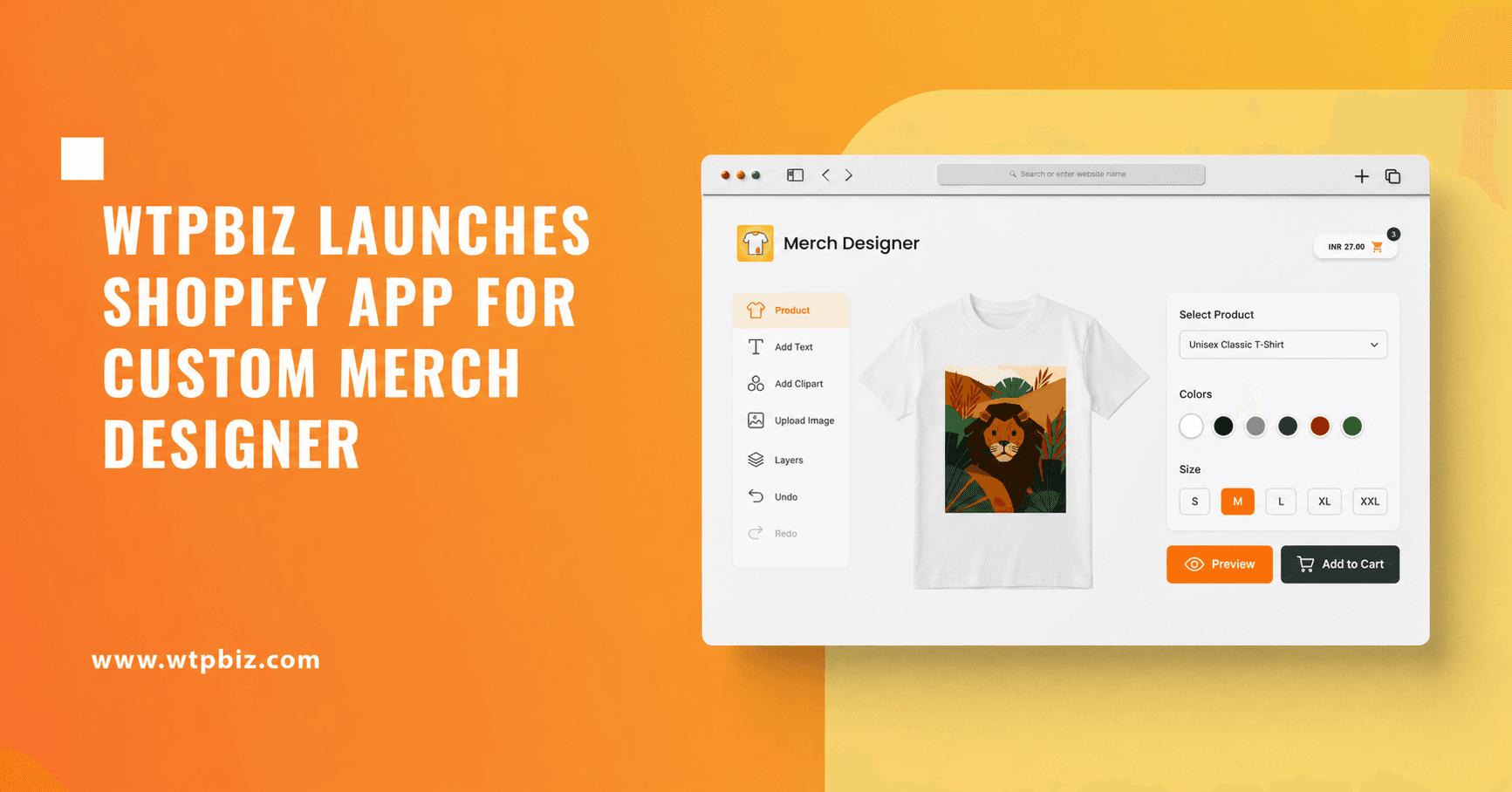
Customers can personalize t-shirts, hoodies, hats, bags, and more. They add text, upload images, pick colors, and see their design in real-time. When they order, you get a production-ready file ready for your printer.
How It Works
Here's what your customers can do with Merch Designer:
Upload their own images or logos to the product.
Add custom text in any font and color.
Choose from multiple product colors and styles.
Resize and position elements exactly where they want them.
Preview their design in real-time before checkout.
Place the order.
You get print-ready output files in common formats, ready for screen printing, DTG, sublimation, embroidery, or any other print method you use. No rework. No back-and-forth with customers.
Installation and Setup
Merch Designer is available on the Shopify app store. Here's how to get started:
Go to https://apps.shopify.com/wtpbiz-merch-designer and click install. Once installed, follow the setup instructions inside the app. The entire setup takes about 5 minutes. You'll be ready to offer custom products to your customers right away.
No coding required. No design experience needed. If you can follow a few simple steps, you can enable merch personalization on your store today.
Pricing That Makes Sense
Merch Designer is free to start. Our free plan gives you access to all core personalization features. Add products, let customers design, download print files. No cost.
As your business grows, paid plans unlock additional features and higher limits. We charge a small monthly subscription, with no transaction fees per order. You keep all the money your customers pay. That's the difference.
What Early Users Are Saying
We've had the app in the hands of early adopters for a few weeks. The feedback has been clear.
Print shop owners appreciated how fast they could set up. Some had custom products live within minutes. Customers using the app loved the simplicity. One early user told us the support we provided during setup was better than what they'd received from other tools before.
"The ease of setup and the user experience for ordering on the frontend was great," one merchant said. "Great support with free setup."
That's what we want to hear.
What's Coming Next
We're working on AI-powered features to make Merch Designer even more useful. Expect announcements on new capabilities in the coming months.
For now, the core app does what it's supposed to do. It lets your customers design merchandise and gives you print-ready files. Simple and powerful.
Next Steps
If you sell on Shopify and want to offer custom merchandise, install Merch Designer today. It's free. Setup takes 5 minutes.
Head to the Shopify app store: https://apps.shopify.com/wtpbiz-merch-designer
Need help? We're here to support you through setup and beyond. Our team can walk you through the entire process.
Frequently Asked Questions
What products can customers design?
Customers can personalize any product you add to the app. That includes t-shirts, hoodies, hats, bags, jackets, and more. If you can print it, your customers can design it.
What file formats does Merch Designer generate?
The app produces print-ready files in standard formats including PNG, JPG, PDF, and SVG. All files are optimized for printing. You can send them straight to your production team.
Is there a transaction fee per order?
No. There are no transaction fees. You pay a monthly subscription for the free or paid plan. Everything your customers spend goes to you.
Can I try it for free?
Yes. The free plan is fully functional. Install it, add products, and let your customers design. Upgrade to a paid plan only when you're ready for more features and higher limits.
How long does setup take?
About 5 minutes. After you install the app and follow the setup wizard, your store is ready to accept custom orders. No coding. No design background required.
Will you support my printer type?
Merch Designer produces standard print files that work with any printing method: screen printing, DTG (direct-to-garment), sublimation, embroidery, flex printing, and more. Your printer can process the files directly.
In our next version release, we're going to launch a pricing feature based on your printing methods.
Ready to launch custom merch on your Shopify store?
Install Merch Designer now: https://apps.shopify.com/wtpbiz-merch-designer
Questions? Get in touch at info@wtpbiz.com or visit wtpbiz.com.


FAQs
