Solutions

Why Us

Resources

Company

Book Free Demo

Solutions

Why Us

Resources

Company

Book Free Demo

Solutions

Why Us

Resources

Company

Book Free Demo

WTPBiz Launches Shopify App for Custom Neon Designer

WTPBiz Launches Shopify App for Custom Neon Designer

WTPBiz Launches Shopify App for Custom Neon Designer

May 2, 2026

News

The Hidden Cost Problem with Neon Design Tools

Running a neon sign shop on Shopify means dealing with complex pricing. Materials cost different amounts depending on size. Electricity consumption varies. Custom requests add complexity. And if you use the wrong design tool, you end up with poor margins and customers who don't understand what they're paying for.

Most neon designer apps hide the cost breakdown. Customers see a final price but don't know what they're actually paying for. That kills trust and reduces orders.

We built Neon Designer to fix that. Today we're excited to launch our latest Shopify app, designed to help small sign shops, print shops, and entrepreneurs sell custom neon signs while keeping their margins intact.

What is Neon Designer?

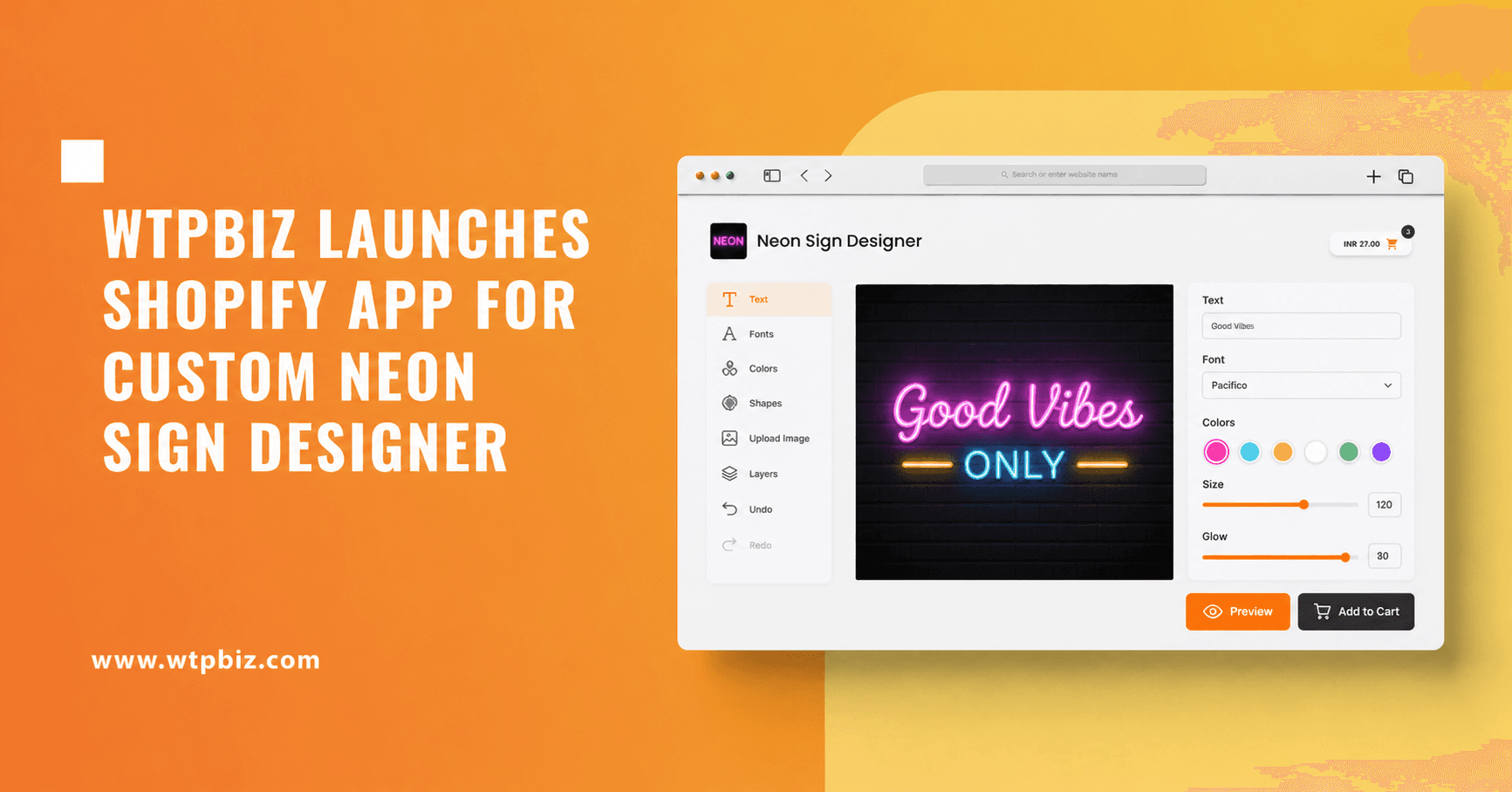
Neon Designer is a simple yet powerful neon sign customizer. It lets your customers design their own custom neon signs directly on your store. They see a complete pricing breakdown as they design. When they order, you get a production-ready file.

No hidden costs. No surprise fees. Just clear pricing and ready-to-print files.

How It Works

Here's what your customers can do with Neon Designer:

  1. Add custom text to their neon sign design.

  2. Choose from multiple fonts that work well for neon.

  3. Pick the exact color they want for their sign.

  4. Select sign sizes and shapes based on your inventory.

  5. See a complete price breakdown before checkout, including what they are paying for material, electricity, and labor.

  6. Preview their design in real-time.

  7. Place the order.

You get print-ready output files ready for your neon production process. No rework. No back-and-forth with customers.

Pricing Transparency is the Difference

This is what sets Neon Designer apart. Most neon apps show a final price. Ours shows a complete breakdown.

Your customer sees exactly what they are paying for. Material cost. Labor cost. Electricity. Any other factors you configure. They understand the value. They trust the price. They buy.

We built this because we know that transparency sells. When customers see the breakdown, they see where their money goes. That builds confidence.

Installation and Setup

Neon Designer is available on the Shopify app store. Here's how to get started:

Go to https://apps.shopify.com/wtpbiz-neon and click install. Once installed, follow the setup instructions inside the app. Setup takes less than 5 minutes. Your store will be ready to sell custom neon signs immediately.

No coding required. No design experience needed.

Pricing That Works for Your Business

Neon Designer is free to start. The free plan gives you access to all core design features. Add products, let customers design, download print-ready files.

As your business grows, you can upgrade to paid plans for advanced features and higher limits. Paid plans include transaction fees, but the pricing is straightforward. You know exactly what you pay.

What Early Users Are Saying

We tested Neon Designer with early users before launch. The feedback was consistent.

Sign shop owners loved how fast they could set up. Some had custom neon products live within minutes. Customers using the app appreciated the simple design interface. They understood the pricing. They didn't hesitate to order.

"The ease of setup and how simple yet effective the frontend is was great," one early user told us. "The user experience has been top-notch."

That's exactly what we aimed for.

What's Coming Next

We are building AI-powered features for Neon Designer. These will make it even easier for customers to design and for you to manage orders.

For now, the core app delivers what sign shops need. A way to let customers design custom neon signs and a way for you to produce them without losing margin.

Next Steps

If you sell on Shopify and want to offer custom neon signs, install Neon Designer today. It is free to start.

Head to the Shopify app store: https://apps.shopify.com/wtpbiz-neon

Need help? Our team supports you through setup and beyond.

Frequently Asked Questions

What makes Neon Designer different from other neon sign apps?

Neon Designer shows customers a complete pricing breakdown. They see what they pay for material, labor, electricity, and more. Most other apps show only a final price. That transparency builds trust and increases orders.

What file formats does Neon Designer generate?

The app produces print-ready files in standard formats. You get the files ready for your neon production equipment. Whether you use plasma cutting, bending, or any other production method, the files work with your workflow.

Can I customize the pricing for my shop?

Yes. You set the pricing rules for your materials, labor, and other costs. The app calculates the customer-facing price based on your rules. You control margins completely.

How long does setup take?

Less than 5 minutes. Install the app, add your neon products, and configure basic pricing. Your store is ready to accept custom orders right away.

What if I already have a neon shop on Shopify?

If you are already selling neon signs on Shopify, Neon Designer adds a design customization layer. Your customers can now design their own signs instead of sending you sketches or descriptions. You get production files automatically.

Is there a free trial?

Yes. Start with the free plan. Add products, test the design tool, and see if it works for your shop. Upgrade to a paid plan when you need more features.

What about customer support?

We support you during setup and after launch. If you have questions about using the app or need help configuring pricing for your business, reach out.

Ready to add custom neon sign sales to your Shopify store?

Install Neon Designer now: https://apps.shopify.com/wtpbiz-neon

Questions? Get in touch at info@wtpbiz.com or visit wtpbiz.com.

Request a demo store link of web to print solution
Contact us for Free demo of web to print solution


FAQs

Frequently Asking Questions

Frequently Asking Questions

Frequently Asking Questions

Contact Support

1. What is web to print (web2print)?

Web to Print, also known as web2print or w2p, is like an online version of your print shop. It lets you set up a website where people can design and order things like posters, t-shirts, and business cards. This online shop can do regular printing and also handle special branded items. With web to print software, you’re always ready for what customers want, making you their first choice for printing.

1. What is web to print (web2print)?

Web to Print, also known as web2print or w2p, is like an online version of your print shop. It lets you set up a website where people can design and order things like posters, t-shirts, and business cards. This online shop can do regular printing and also handle special branded items. With web to print software, you’re always ready for what customers want, making you their first choice for printing.

1. What is web to print (web2print)?

Web to Print, also known as web2print or w2p, is like an online version of your print shop. It lets you set up a website where people can design and order things like posters, t-shirts, and business cards. This online shop can do regular printing and also handle special branded items. With web to print software, you’re always ready for what customers want, making you their first choice for printing.

1. What is web to print (web2print)?

Web to Print, also known as web2print or w2p, is like an online version of your print shop. It lets you set up a website where people can design and order things like posters, t-shirts, and business cards. This online shop can do regular printing and also handle special branded items. With web to print software, you’re always ready for what customers want, making you their first choice for printing.

1. What is web to print (web2print)?

Web to Print, also known as web2print or w2p, is like an online version of your print shop. It lets you set up a website where people can design and order things like posters, t-shirts, and business cards. This online shop can do regular printing and also handle special branded items. With web to print software, you’re always ready for what customers want, making you their first choice for printing.

2. What is web to print system?

2. What is web to print system?

2. What is web to print system?

2. What is web to print system?

2. What is web to print system?

3. What are the benefits of web to print?

3. What are the benefits of web to print?

3. What are the benefits of web to print?

3. What are the benefits of web to print?

3. What are the benefits of web to print?

4. How does web to print solution work?

4. How does web to print solution work?

4. How does web to print solution work?

4. How does web to print solution work?

4. How does web to print solution work?

5. How is WTPBiz able to provide the best web to print solution in 2024?

5. How is WTPBiz able to provide the best web to print solution in 2024?

5. How is WTPBiz able to provide the best web to print solution in 2024?

5. How is WTPBiz able to provide the best web to print solution in 2024?

5. How is WTPBiz able to provide the best web to print solution in 2024?

Web To Print Experts

Any Questions? Talk with

Web To Print Experts

Web to Print, also known as web2print or w2p, is like an online version of your print shop. With web to print software, you’re always ready for what customers want, making you their first choice for printing.

Web To Print Experts

Any Questions? Talk with

Web To Print Experts

Web to Print, also known as web2print or w2p, is like an online version of your print shop. With web to print software, you’re always ready for what customers want, making you their first choice for printing.

Web To Print Experts

Any Questions? Talk with Web To Print Experts

Web to Print, also known as web2print or w2p, is like an online version of your print shop. With web to print software, you’re always ready for what customers want, making you their first choice for printing.

Web To Print Experts

Any Questions? Talk with Web To Print Experts

Web to Print, also known as web2print or w2p, is like an online version of your print shop. With web to print software, you’re always ready for what customers want, making you their first choice for printing.

Web To Print Experts

Any Questions? Talk with Web To Print Experts

Web to Print, also known as web2print or w2p, is like an online version of your print shop. With web to print software, you’re always ready for what customers want, making you their first choice for printing.

Powered by latest technology, backed by leading industry experts & trusted by hundreds of print industry veterans.

Copyright @2026 by WTPBiz Pvt. Ltd. All rights reserved.

Powered by latest technology, backed by leading industry experts & trusted by hundreds of print industry veterans.

Copyright @2026 by WTPBiz Pvt. Ltd. All rights reserved.

Powered by latest technology, backed by leading industry experts & trusted by hundreds of print industry veterans.

Copyright @2026 by WTPBiz Pvt. Ltd. All rights reserved.

Powered by latest technology, backed by leading industry experts & trusted by hundreds of print industry veterans.

Copyright @2026 by WTPBiz Pvt. Ltd. All rights reserved.

Powered by latest technology, backed by leading industry experts & trusted by hundreds of print industry veterans.

Copyright @2026 by WTPBiz Pvt. Ltd. All rights reserved.

Powered by latest technology, backed by leading industry experts & trusted by hundreds of print industry veterans.

Copyright @2026 by WTPBiz Pvt. Ltd. All rights reserved.