


Platform Design Tool · For Print Shops
The web to print design
tool for every product
on your price list
Business cards, flyers, greeting cards, banners, yard signs, posters, brochures, one online design tool for printing lets your customers design them all in the browser and hands you a print-ready file with every order.

One web to print editor across your flat-product catalog
Templates, image & clip-art library, built for non-designers
Live proofing & online approval before checkout
Plug into your existing store, or run the full platform
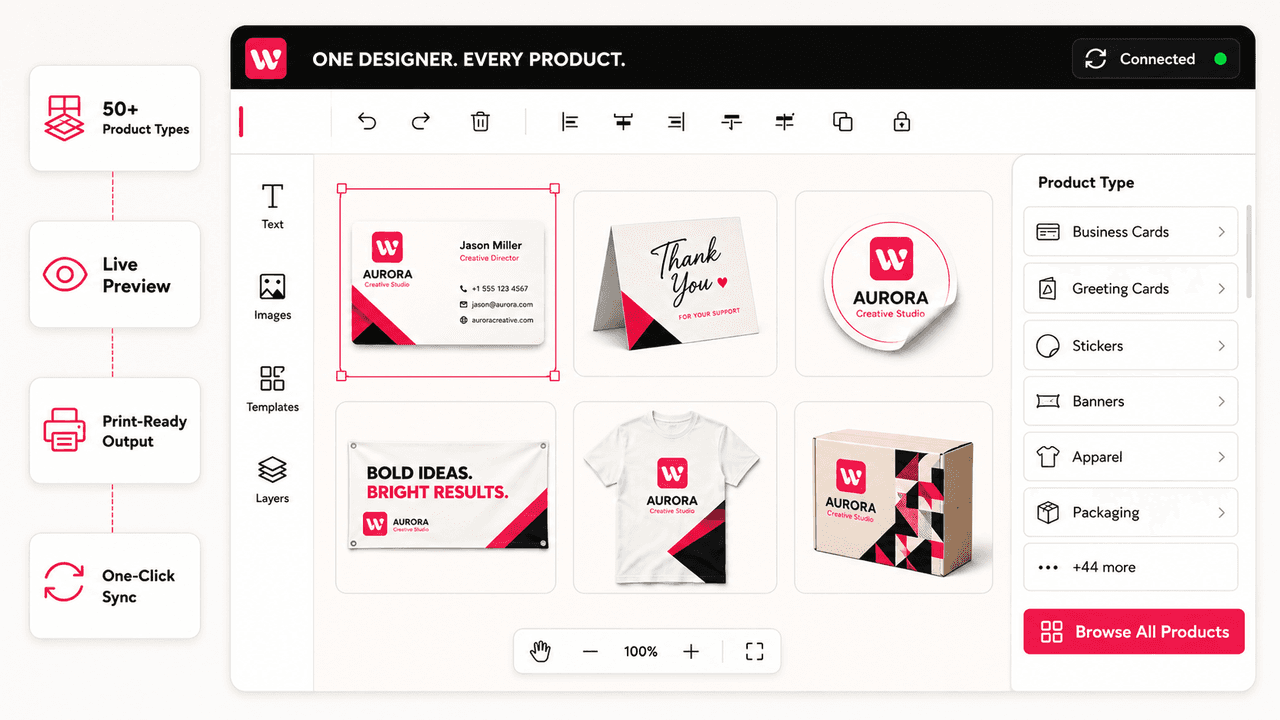
One editor, your whole flat-product
catalog
If it prints on paper, board, vinyl, or sheet, this is its design tool.
Business Cards
Brochures
Greeting Cards
Posters
Signs & Banners
Stickers & Labels
Vinyl Lettering
Real Estate Print
Selling apparel, mugs, or caps too? That’s the merchandise design tool, the two run side by side on one platform.
How the design tool works
Design, proofing, and prepress, moved from your inbox to the product page.
1
Customer starts with a template, or an upload
A library of layouts, images, and clip-arts per product type, or their own artwork uploaded from any device.
2
They design & proof live
Text, colors, images, and layout with a true-to-print preview, fully responsive on mobile, tablet, and desktop.
3
They approve, you print
Online approval replaces the proof-email loop. The order lands print-ready with bleed and margins handled per product.
Features of the print product design
tool
Per-product templates
Cards, flyers, banners, signs, each product type gets its own template library and correct dimensions.
Upload & customize
Customers bring their own artwork and adapt it in the tool, or design from scratch.
Live proofing
The preview is the proof: what they approve is what prints, bleed and safe margins enforced.
Print-ready output
Production files at exact product dimensions with every order, no manual prepress.
Fully responsive
Design from mobile, tablet, or desktop, wherever your customers are.
B2B and B2C ready
Retail one-offs or corporate template-locked reorders, one tool serves both.
Who it's for
Commercial print shops
Selling the full catalog
Every product on your price list becomes self-serve, one editor instead of one designer per order.
Sign & banner shops
Large-format, self-serve
Yard signs and banners designed and approved by the customer before the file ever reaches you.
Online print resellers
Running lean
No in-house design team required, the tool is the design department.
Where flat-product orders lose money
High volume, small tickets, design labor per order is the margin killer. The tool deletes it.
Without the design tool

Every business card order needs a designer touch
Proof → email → wait → revise, on $40 tickets
Artwork arrives in wrong sizes, wrong formats
Volume growth means headcount growth
With the web to print editor

Customers design and approve at checkout
Proofing is the live preview, zero touches per order
Bleed, margins & dimensions enforced by product
Bleed, margins & dimensions enforced by product
Web to print editor FAQs
What is a web to print design tool?
An online design tool for printing that lets your customers create print products in the browser, business cards, flyers, greeting cards, banners, yard signs, posters, and brochures, using templates, uploads, and text tools, then approve exactly what will be printed. Every order outputs a print-ready file.
Which products does it cover?
Flat and sheet-printed products: business cards, flyers, greeting cards, invitations, posters, brochures, banners, yard signs, labels, and similar. For apparel, mugs, and caps, WTPBiz offers a dedicated merchandise designer.
Does this tool design photo canvas prints?
No, this tool is for flat print products. If you sell wall art like framed photos or gallery walls on Shopify, see WTPBiz's
Can it plug into my existing print store?
Yes. The web to print editor integrates as a plug-in with your existing store. Shopify, WooCommerce, Magento, and more, or ships inside the full WTPBiz web-to-print platform.
Do my customers need design skills?
No. The tool is built for non-designers: ready-made templates, an image and clip-art library, and drag-and-drop editing with live preview on any device.
Web to print editor resources
One design tool for everything you print flat
A free 30-minute demo on your actual product catalog.

